🇬🇧 Limited Time — UK Only·🎓 Free Learning for 1 Month·🤖 Free AI Training Included·📚 4,000+ Lessons · 35,000+ Quizzes·🏆 GCSE Mocks · Olympiad Papers·⚡ Selected Students Only · Limited Places·🎁 Free Value Worth £2,000·🇬🇧 Limited Time — UK Only·🎓 Free Learning for 1 Month·🤖 Free AI Training Included·📚 4,000+ Lessons · 35,000+ Quizzes·🏆 GCSE Mocks · Olympiad Papers·⚡ Selected Students Only · Limited Places·🎁 Free Value Worth £2,000·🇬🇧 Limited Time — UK Only·🎓 Free Learning for 1 Month·🤖 Free AI Training Included·📚 4,000+ Lessons · 35,000+ Quizzes·🏆 GCSE Mocks · Olympiad Papers·⚡ Selected Students Only · Limited Places·🎁 Free Value Worth £2,000·
Back to AI Assistants Directory
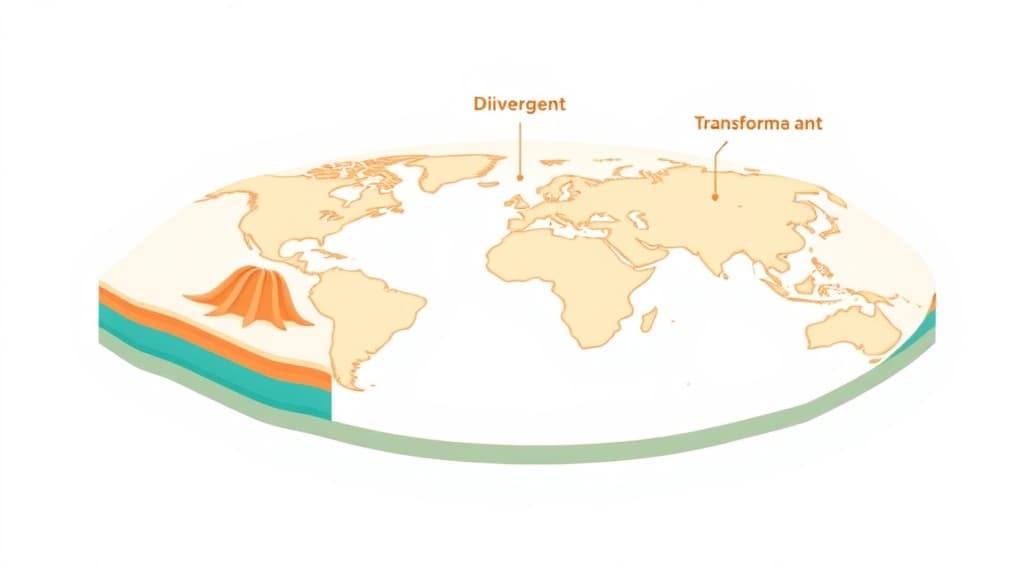
Plate Tectonics Visualizer — AI study tool illustration
🌍
Earth & Space Assistant

Plate Tectonics Visualizer

Plate Tectonics Visualizer is an AI guide to our planet and the universe beyond it. It explains everything from plate tectonics and weather systems to stars and space exploration in vivid, engaging detail that sparks real curiosity about the world around us.

yearYear 7Year 8Year 9Year 10Year 11Free foreverUK Curriculum
Applaa AI Assistant — Live Preview Live
Explain how photosynthesis works.
👨‍💻
Photosynthesis is how plants make their own food! Think of a leaf as a tiny solar-powered kitchen: 1. **Ingredients:** Water (absorbed by roots) + Carbon Dioxide (absorbed from air) + Sunlight (captured by green chlorophyll in leaves). 2. **Cooking:** Sunlight energy powers a chemical reaction that combines water and carbon dioxide. 3. **Food Served:** Out comes **Glucose** (sugar energy for the plant to grow) and **Oxygen** (which they release into the air for us to breathe!). Equation: Water + Carbon Dioxide + Light ➔ Glucose + Oxygen. Pretty amazing, right?

How to use Plate Tectonics Visualizer

1

Open Applaa and find this tool in AI Assistants.

2

Ask your question about Earth science, space, weather, or geology.

3

Get a fascinating, detailed explanation — ask for more depth and facts at any time.

What you can do with Plate Tectonics Visualizer

Divergent, Convergent, Transform boundaries. Here are some of the most popular ways students use Plate Tectonics Visualizer every day:

  • Makes science come alive with vivid, engaging explanations
  • Covers geography, geology, meteorology, and astronomy
  • Perfect for school projects and fuelling natural curiosity
  • Ask unlimited follow-up questions — the AI never loses patience or gives up on you
  • Works alongside any textbook, worksheet, or school resource

Understanding plate tectonics is fundamental to GCSE and A-Level geography and Earth science, yet many students struggle to visualise how our planet's crust moves and reshapes itself over millions of years. Applaa's Plate Tectonics Visualizer brings this hidden world to life, making divergent, convergent, and transform plate boundaries genuinely understandable. Whether you're revising for an exam, completing a geography project, or simply curious about earthquakes and volcanoes, this tool breaks down tectonic processes into clear, visual explanations. Applaa's free interactive guide transforms abstract geological concepts into memorable learning, helping you understand not just the what, but the why behind continental drift and geological hazards.

12,000+
Students using this monthly
100%
Plate boundaries covered
Yes
Free forever

How to use the Plate Tectonics Visualizer effectively

Start by exploring each plate boundary type individually: divergent boundaries where plates pull apart, convergent boundaries where they collide, and transform boundaries where they slide sideways. Use the visualiser to watch how each process unfolds over geological timescales. For GCSE revision, focus on real-world examples like the Mid-Atlantic Ridge and the San Andreas Fault. Ask follow-up questions to understand the consequences—how subduction zones create volcanoes, or why convergent boundaries build mountain ranges. Interactive visualisation combined with repeated questioning helps cement these spatial relationships in your memory far better than textbook diagrams alone.

  • Explore one boundary type at a time and pause to understand each stage of plate movement
  • Link each boundary type to real-world examples: Mid-Atlantic Ridge, Himalayas, San Andreas Fault
  • Watch subduction animations to understand why trenches form and why volcanoes follow plate boundaries
  • Use the tool before revising past papers so exam questions feel more concrete
  • Ask the visualiser to explain consequences: 'What happens to crust in a subduction zone?'
  • Revisit the tool monthly during your GCSE year to reinforce spatial understanding

Common mistakes when learning about plate tectonics

Many students memorise boundary names without understanding the actual mechanics—they can name divergent and convergent boundaries but cannot explain what happens to rock at each one. Another frequent mistake is assuming all volcanoes occur at the same type of boundary, when in fact different boundaries produce different volcanic behaviours. Some learners also confuse the age of ocean crust (younger near ridges, older near continents) with the direction of plate movement. The visualiser prevents these misconceptions by showing the continuous, dynamic nature of plate motion rather than treating boundaries as static features on a map.

  • Don't just memorise names—understand the actual rock deformation and stress at each boundary
  • Remember: different boundaries produce different volcanic and earthquake patterns
  • Ocean crust is younger at divergent boundaries and older as it moves away—this isn't random
  • Avoid oversimplifying: plate movement is constant, but speeds and outcomes vary enormously
  • Don't treat past paper diagrams as the only 'correct' way to draw plate boundaries
  • Revisit the visualiser if exam feedback mentions vague or imprecise boundary descriptions

Getting started

Getting started with Plate Tectonics Visualizer

Step 1

Download Applaa free on Windows or Mac and open AI Assistants

Step 2

Search for 'Plate Tectonics Visualizer' and start with 'Show me a divergent boundary'

Step 3

Spend 5 minutes exploring each of the three main boundary types

Step 4

Link each boundary to one real-world location and ask follow-up questions about consequences

1 month free, then 50% off for 3 months — £4.99/mo

While Other Kids Get an AI Head Start, Is Yours Falling Behind?

Give your child the same AI app-building, exam prep and tutoring edge — free for the first month, no credit card needed.

Join 10,000+ students building their first AI-powered apps with Applaa

Frequently asked questions about Plate Tectonics Visualizer

Is this tool useful for GCSE or A-Level geography?

Absolutely. Plate tectonics is a core topic in GCSE geography (Paper 1: Tectonics) and A-Level, and this visualiser helps you understand the mechanisms examiners expect you to know. Understanding how plates actually move makes exam questions about earthquakes, volcanoes, and mountain building far easier to answer with confidence and detail.

Will this help me understand subduction zones better?

Yes—subduction is where many students struggle because it's hard to visualise. The tool shows you exactly what happens as one plate slides beneath another, why trenches form, and why subduction zones are such active geological areas. Seeing this in motion rather than reading it in a textbook makes it stick.

Can I use this tool without taking geology at school?

Completely. This tool works for anyone curious about how Earth works, from KS3 to adult learners. Many students without formal geology training find it fascinating to understand why earthquakes happen and where volcanoes are concentrated.

How often should I review this tool before my GCSE exam?

Review it at least once monthly from Year 9 onwards, then more frequently in your final exam term. Each review reinforces your spatial understanding and helps you answer 'explain' questions with precision. Many students review it once a week in the month before their exam to stay confident on tectonic concepts.

Get Plate Tectonics Visualizer free

Plate Tectonics Visualizer and 500+ other safe AI assistants are available free inside the Applaa desktop app.

Windows 10+ · macOS 12+ · UK National Curriculum aligned

Why Parents Choose Applaa

  • 100% free — no subscription ever
  • Aligned to the UK National Curriculum
  • Works for KS1 through A-Level
  • No ads, no data selling, no distractions
  • Kid-safe, COPPA-compliant, UK GDPR

Ready for Exam Prep?

Explore GCSE, 11+, A-Level, and Olympiad revision modules in the Applaa Learning Hub.

Go to Learning Hub