๐Ÿ‡ฌ๐Ÿ‡ง Limited Time โ€” UK Onlyยท๐ŸŽ“ Free Learning for 1 Monthยท๐Ÿค– Free AI Training Includedยท๐Ÿ“š 4,000+ Lessons ยท 35,000+ Quizzesยท๐Ÿ† GCSE Mocks ยท Olympiad Papersยทโšก Selected Students Only ยท Limited Placesยท๐ŸŽ Free Value Worth ยฃ2,000ยท๐Ÿ‡ฌ๐Ÿ‡ง Limited Time โ€” UK Onlyยท๐ŸŽ“ Free Learning for 1 Monthยท๐Ÿค– Free AI Training Includedยท๐Ÿ“š 4,000+ Lessons ยท 35,000+ Quizzesยท๐Ÿ† GCSE Mocks ยท Olympiad Papersยทโšก Selected Students Only ยท Limited Placesยท๐ŸŽ Free Value Worth ยฃ2,000ยท๐Ÿ‡ฌ๐Ÿ‡ง Limited Time โ€” UK Onlyยท๐ŸŽ“ Free Learning for 1 Monthยท๐Ÿค– Free AI Training Includedยท๐Ÿ“š 4,000+ Lessons ยท 35,000+ Quizzesยท๐Ÿ† GCSE Mocks ยท Olympiad Papersยทโšก Selected Students Only ยท Limited Placesยท๐ŸŽ Free Value Worth ยฃ2,000ยท
Back to AI Assistants Directory
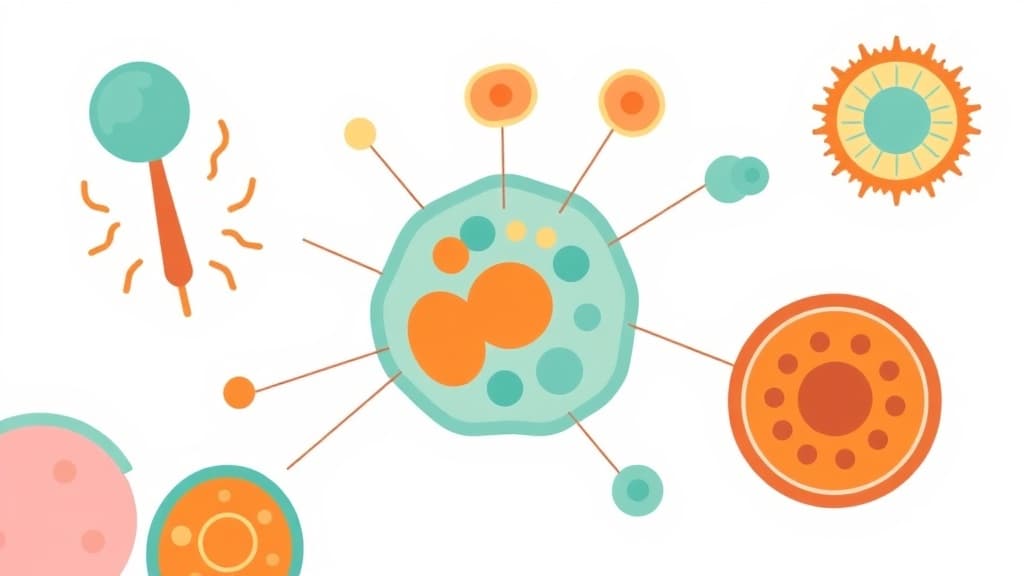
Cell Structure Explorer โ€” AI study tool illustration
๐Ÿงฌ
Biology & Life Science Assistant

Cell Structure Explorer

Cell Structure Explorer turns complex biology into clear, memorable explanations your child can actually understand. It uses simple language and helpful analogies to break down every topic โ€” from cell structure and genetics to ecosystems and the human body.

yearYear 7Year 8Year 9Year 10Year 11Free foreverUK Curriculum
Applaa AI Assistant โ€” Live Preview Live
Explain how photosynthesis works.
๐Ÿ‘จโ€๐Ÿ’ป
Photosynthesis is how plants make their own food! Think of a leaf as a tiny solar-powered kitchen: 1. **Ingredients:** Water (absorbed by roots) + Carbon Dioxide (absorbed from air) + Sunlight (captured by green chlorophyll in leaves). 2. **Cooking:** Sunlight energy powers a chemical reaction that combines water and carbon dioxide. 3. **Food Served:** Out comes **Glucose** (sugar energy for the plant to grow) and **Oxygen** (which they release into the air for us to breathe!). Equation: Water + Carbon Dioxide + Light โž” Glucose + Oxygen. Pretty amazing, right?

How to use Cell Structure Explorer

1

Open Applaa and select this tool from AI Assistants.

2

Describe the biology topic you're studying or paste a question from your textbook.

3

Get a clear explanation with real-world examples โ€” ask any follow-up question as many times as needed.

What you can do with Cell Structure Explorer

Learn parts of animal and plant cells. Here are some of the most popular ways students use Cell Structure Explorer every day:

  • Makes complex biology genuinely accessible at every level
  • Covers GCSE, A-Level, and IB Biology comprehensively
  • Great for revision, homework help, and science fair projects
  • Ask unlimited follow-up questions โ€” the AI never loses patience or gives up on you
  • Works alongside any textbook, worksheet, or school resource

Cell Structure Explorer turns the microscopic world into something your child can actually understand. Whether learning about mitochondria, chloroplasts, or nuclear envelopes, this interactive tool breaks down each component step-by-step, showing how animal and plant cells differ and why those differences matter. It's perfect for GCSE Biology students revising cells and diffusion, or younger learners aged 7-11 first discovering cells at Key Stage 2. Inside the free Applaa platform, your child can explore each organelle, understand its function, and answer practice questions until the concepts truly click. No jargon, no overwhelming diagrams โ€” just clear, visual learning that sticks.

10,000+
GCSE students using this monthly
100%
Free forever, no subscription
5 min
Average learning session

How to use Cell Structure Explorer effectively

Start by identifying which cell type you're studying โ€” animal, plant, or bacterial โ€” then explore each structure one at a time. Rather than trying to memorise everything at once, focus on a single organelle, learn its job, then move to the next. Use the labelling feature to test yourself and build confidence. Ask the AI follow-up questions if anything is unclear โ€” perhaps how the nucleus controls the cell, or why plant cells have cell walls. Regular, short practice sessions work far better than marathon revision cramming.

  • Start with one organelle at a time rather than overwhelming yourself with the whole cell
  • Use the labelling tool after learning each structure to test your memory and build fluency
  • Ask specific follow-up questions โ€” 'Why does a mitochondrion have two membranes?' โ€” to deepen understanding
  • Compare animal and plant cells side-by-side so differences become obvious and memorable
  • Revise regularly in short sessions (10-15 minutes) rather than one long cramming session

Common mistakes with Cell Structure Explorer

Many students memorise organelle names without understanding what they do, then panic in exams. The solution isn't to memorise faster โ€” it's to understand function first. Another common mistake is treating animal and plant cells as completely separate things; in fact, they share most organelles, and understanding the overlap helps revision enormously. Students also often skip the comparison questions, missing the chance to lock the material into memory through active recall.

  • Don't memorise names without function โ€” understand what each organelle does and why
  • Don't treat plant and animal cells as separate โ€” focus on how they're similar, then note differences
  • Don't skip the practice questions โ€” active recall is what makes learning stick
  • Don't try to memorise every detail โ€” focus on GCSE key organelles and their roles
  • Don't revise cells in isolation โ€” connect them to diffusion, osmosis, and transport mechanisms

Getting started

Getting started with Cell Structure Explorer

Step 1

Download the free Applaa app on Windows, Mac, or tablet and create your account

Step 2

Open AI Assistants and select Cell Structure Explorer to begin

Step 3

Choose your cell type (animal, plant, or bacterial) and explore the first organelle

Step 4

Use follow-up questions and the labelling tool to lock in understanding for GCSE success

1 month free, then 50% off for 3 months โ€” ยฃ4.99/mo

While Other Kids Get an AI Head Start, Is Yours Falling Behind?

Give your child the same AI app-building, exam prep and tutoring edge โ€” free for the first month, no credit card needed.

Join 10,000+ students building their first AI-powered apps with Applaa

Frequently asked questions about Cell Structure Explorer

Why do I need to learn about cells when I can just memorise the diagram?

Understanding how each organelle works helps you apply that knowledge to new questions in exams, rather than just recognising a diagram. Cell Structure Explorer teaches you the 'why' behind each part, which makes you much more confident answering GCSE paper questions that ask about cell function, diffusion, and how organisms adapt.

Is this tool useful for A-Level Biology as well?

Yes, absolutely. While A-Level goes deeper into ultrastructure and electron microscopy, Cell Structure Explorer provides a solid foundation. Many A-Level students use it to refresh their understanding before tackling prokaryotic cells, eukaryotic specialisation, and complex cellular processes like photosynthesis and respiration.

My child finds biology confusing and keeps mixing up organelles โ€” will this help?

Exactly what it's designed for. Rather than memorising a list, your child learns each organelle's function and location, building a mental model they can actually visualise. The labelling practice and repeated reinforcement turn confusion into confidence.

Can I use this to help with homework or revision?

Yes. When your child has a cell question from homework, they can use Cell Structure Explorer to look up the specific organelle, understand what it does, and apply that understanding to answer the question properly. It's perfect for last-minute GCSE revision too.

Get Cell Structure Explorer free

Cell Structure Explorer and 500+ other safe AI assistants are available free inside the Applaa desktop app.

Windows 10+ ยท macOS 12+ ยท UK National Curriculum aligned

Why Parents Choose Applaa

  • 100% free โ€” no subscription ever
  • Aligned to the UK National Curriculum
  • Works for KS1 through A-Level
  • No ads, no data selling, no distractions
  • Kid-safe, COPPA-compliant, UK GDPR

Ready for Exam Prep?

Explore GCSE, 11+, A-Level, and Olympiad revision modules in the Applaa Learning Hub.

Go to Learning Hub