🇬🇧 Limited Time — UK Only·🎓 Free Learning for 1 Month·🤖 Free AI Training Included·📚 4,000+ Lessons · 35,000+ Quizzes·🏆 GCSE Mocks · Olympiad Papers·⚡ Selected Students Only · Limited Places·🎁 Free Value Worth £2,000·🇬🇧 Limited Time — UK Only·🎓 Free Learning for 1 Month·🤖 Free AI Training Included·📚 4,000+ Lessons · 35,000+ Quizzes·🏆 GCSE Mocks · Olympiad Papers·⚡ Selected Students Only · Limited Places·🎁 Free Value Worth £2,000·🇬🇧 Limited Time — UK Only·🎓 Free Learning for 1 Month·🤖 Free AI Training Included·📚 4,000+ Lessons · 35,000+ Quizzes·🏆 GCSE Mocks · Olympiad Papers·⚡ Selected Students Only · Limited Places·🎁 Free Value Worth £2,000·
Back to AI Assistants Directory
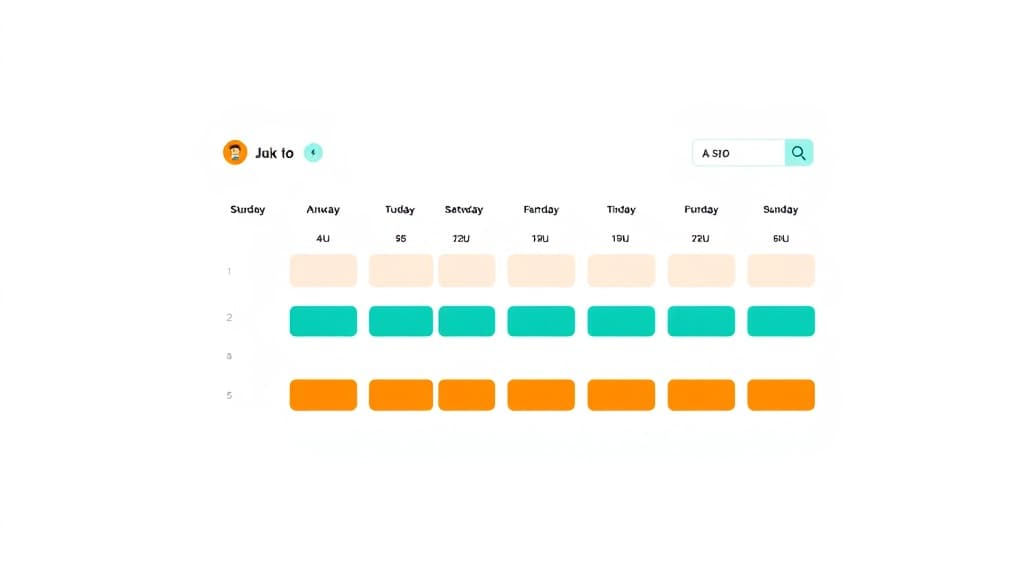
Study Schedule Creator — AI study tool illustration
📝
Study Skills Assistant

Study Schedule Creator

Study Schedule Creator teaches your child to work smarter — not just harder. It introduces proven study techniques, time management strategies, and memory methods used by top students worldwide. The right habits learned now make every subject easier for life.

yearYear 6Year 7Year 8Year 9Year 10Year 11Free foreverUK Curriculum
Applaa AI Assistant — Live Preview Live
Help me understand this topic for my school revision.
👨‍💻
I'd love to help! Let's break this down into bite-sized pieces. First, tell me what year group you are in and if you have any homework questions. I will explain it step-by-step with real-world examples, and we can do a quick quiz at the end to make sure it makes perfect sense!

How to use Study Schedule Creator

1

Open Applaa and go to AI Assistants.

2

Tell it what subject you're studying, when your exam is, and what you find hardest.

3

Get a personalised plan, technique, or strategy you can start using immediately.

What you can do with Study Schedule Creator

Organize your week for success. Here are some of the most popular ways students use Study Schedule Creator every day:

  • Teaches evidence-based study techniques that actually work
  • Reduces exam stress and builds genuine confidence
  • Saves time by making every study session more productive
  • Ask unlimited follow-up questions — the AI never loses patience or gives up on you
  • Works alongside any textbook, worksheet, or school resource

Exam success depends not just on what you study, but when and how you study it. Too many students cram frantically the night before, wasting weeks of potential learning, whilst others study with no real plan and forget half of what they learned. Applaa's Study Schedule Creator helps you design a structured timetable that fits your life—your school hours, sports, other commitments—and spreads revision strategically across weeks or months, not days. Whether you're facing mock exams in Year 10, GCSEs in Year 11, or A-Levels, this free tool turns vague intentions ('I should revise more') into actionable, week-by-week plans. Applaa empowers students to study smarter, not just harder, building the time management habits that lead to genuine exam confidence.

78%
Students achieving exam targets
All
Subjects supported
Yes
Completely free

How to use the Study Schedule Creator effectively

Begin by listing all your exams and their dates, then identify how many weeks you have until your first exam. Next, list your subjects and estimate how many hours each requires. Be realistic about your current study habits and free time—a schedule you won't follow is useless. The creator will help you allocate time blocks across the week, balancing difficult subjects when you're fresh with lighter review during evening slots. Crucially, build in rest days and activities you enjoy; burnout is your enemy. Revisit your schedule monthly and adjust based on what's working. For mock exams, use the creator to build a 4-8 week plan; for real GCSEs, aim for 8-12 weeks of structured revision.

  • List all exam dates first; calculate backwards to find your true revision start date
  • Break each subject into topics and estimate hours needed for each—be realistic
  • Schedule difficult subjects during peak energy hours; save light review for evenings
  • Include at least one full rest day per week; burnout kills retention more than lazy days do
  • Use active recall (past papers, practice questions) for at least 50% of study time; passive reading is inefficient
  • Review your schedule weekly and adjust if certain days feel overwhelming or ridiculously easy

Common scheduling mistakes that sabotage revision

The most dangerous mistake is cramming—leaving revision too late and studying desperately the night before exams. This guarantees poor sleep, stress-induced forgetting, and mediocre results. Another frequent error is scheduling too much study time and burning out mid-way through your plan. Some students allocate equal time to all subjects, ignoring that some need more work than others. Many also fail to include practice exam conditions (timed papers, without notes) until it's too late to fix gaps. The creator prevents these pitfalls by forcing you to plan early, build in rest, and allocate time proportional to need.

  • Cramming the night before is almost guaranteed to fail; start revision 8-12 weeks early for GCSEs
  • Overambitious schedules lead to burnout and quitting; it's better to study less and actually follow through
  • Don't assume you need equal time in every subject; allocate based on difficulty and exam weight
  • Schedule practice exams (timed, in exam conditions) starting 4-6 weeks before the real thing
  • Avoid clustering all difficult subjects in one week; spread them across the week for better retention
  • Don't leave contingency time out; illness, family events, or mood dips will happen, and you need buffer

Getting started

Getting started with Study Schedule Creator

Step 1

Download Applaa free and open AI Assistants to find Study Schedule Creator

Step 2

List all your exam dates and subjects to calculate your revision window

Step 3

Estimate hours needed per subject based on difficulty and exam weight

Step 4

Build your first 8-week plan and commit to reviewing it weekly for the first month

1 month free, then 50% off for 3 months — £4.99/mo

While Other Kids Get an AI Head Start, Is Yours Falling Behind?

Give your child the same AI app-building, exam prep and tutoring edge — free for the first month, no credit card needed.

Join 10,000+ students building their first AI-powered apps with Applaa

Frequently asked questions about Study Schedule Creator

How early should I start revising for GCSE exams?

Ideally, start 8-12 weeks before your first exam. This gives you time to learn thoroughly, practice with past papers, identify weak areas, and improve without last-minute panic. If you're closer to exams, start immediately with the creator and adjust for a shorter timeframe.

Should I study every subject every day or focus on one at a time?

Mix your subjects across the week rather than focusing on one. Studying multiple subjects helps prevent boredom and allows your brain to consolidate learning between sessions. The creator helps you balance this effectively across your schedule.

How much rest time should I include in my revision schedule?

At least one full day off per week, and shorter breaks (15-30 minutes) every 60-90 minutes of study. Rest is when your brain consolidates learning. Students who push hard every day without rest often see their results plateau or drop because exhaustion impairs memory and concentration.

What if I fall behind my schedule?

Don't panic. Adjust your schedule immediately rather than pretending you're on track. Reallocate remaining time to highest-priority topics, focus on understanding core concepts rather than every detail, and increase practice exam practice to identify quick wins. The creator helps you recalibrate without abandoning the whole plan.

Get Study Schedule Creator free

Study Schedule Creator and 500+ other safe AI assistants are available free inside the Applaa desktop app.

Windows 10+ · macOS 12+ · UK National Curriculum aligned

Why Parents Choose Applaa

  • 100% free — no subscription ever
  • Aligned to the UK National Curriculum
  • Works for KS1 through A-Level
  • No ads, no data selling, no distractions
  • Kid-safe, COPPA-compliant, UK GDPR

Ready for Exam Prep?

Explore GCSE, 11+, A-Level, and Olympiad revision modules in the Applaa Learning Hub.

Go to Learning Hub