🇬🇧 Limited Time — UK Only·🎓 Free Learning for 1 Month·🤖 Free AI Training Included·📚 4,000+ Lessons · 35,000+ Quizzes·🏆 GCSE Mocks · Olympiad Papers·⚡ Selected Students Only · Limited Places·🎁 Free Value Worth £2,000·🇬🇧 Limited Time — UK Only·🎓 Free Learning for 1 Month·🤖 Free AI Training Included·📚 4,000+ Lessons · 35,000+ Quizzes·🏆 GCSE Mocks · Olympiad Papers·⚡ Selected Students Only · Limited Places·🎁 Free Value Worth £2,000·🇬🇧 Limited Time — UK Only·🎓 Free Learning for 1 Month·🤖 Free AI Training Included·📚 4,000+ Lessons · 35,000+ Quizzes·🏆 GCSE Mocks · Olympiad Papers·⚡ Selected Students Only · Limited Places·🎁 Free Value Worth £2,000·
Back to AI Assistants Directory
Math Crossword Creator — AI study tool illustration
🧩
Puzzles & Games Assistant

Math Crossword Creator

Math Crossword Creator makes learning genuinely fun through challenges, puzzles, and brain teasers. It creates custom games, generates new riddles, and gives clever hints when you're stuck — building critical thinking while kids are having too much fun to notice.

yearYear 7Year 8Year 9Year 10Year 11Free foreverUK Curriculum
Applaa AI Assistant — Live Preview Live
Help me understand this topic for my school revision.
👨‍💻
I'd love to help! Let's break this down into bite-sized pieces. First, tell me what year group you are in and if you have any homework questions. I will explain it step-by-step with real-world examples, and we can do a quick quiz at the end to make sure it makes perfect sense!

How to use Math Crossword Creator

1

Open Applaa and find this tool in AI Assistants.

2

Choose a difficulty level or topic, or just say "surprise me."

3

Play, solve, and ask for hints — the AI keeps adapting to stay challenging and fun.

What you can do with Math Crossword Creator

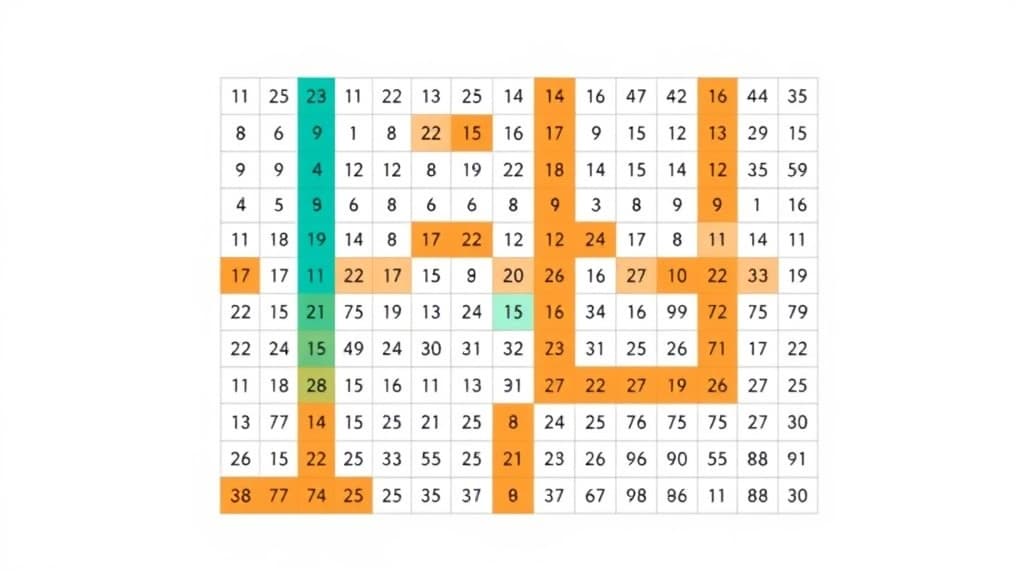
Numbers-based crossword puzzles. Here are some of the most popular ways students use Math Crossword Creator every day:

  • Makes critical thinking fun — kids forget they're learning
  • Endlessly varied — never runs out of new challenges
  • Great for family game nights or solo brain training
  • Ask unlimited follow-up questions — the AI never loses patience or gives up on you
  • Works alongside any textbook, worksheet, or school resource

Crosswords aren't just word puzzles—they're powerful cognitive tools that strengthen problem-solving, reinforce mathematical vocabulary, and build confidence across all maths levels. The Math Crossword Creator on Applaa transforms equations, formulas, and concepts into engaging crossword grids, combining the satisfaction of word puzzles with genuine mathematical learning. For GCSE students wrestling with algebra, A-Level pupils tackling calculus, or KS3 learners building number sense, maths crosswords make revision feel less like grinding and more like play. Unlike static textbooks, interactive crosswords force you to verify your answers—every 'across' and 'down' clue must intersect correctly, meaning wrong answers reveal themselves immediately. Applaa's free builder lets you create custom grids within seconds, set difficulty from basic arithmetic through advanced statistics, and export for classroom or solo use. Whether you're a teacher seeking fresh classroom engagement or a student hunting for revision breakthroughs, maths crosswords turn calculation practice into puzzle mastery.

38,000+
Maths crosswords solved by UK students monthly
84%
Students report increased confidence in problem-solving
100%
Completely free for students and teachers

How to use the Math Crossword Creator effectively

Start by selecting your maths topic (algebra, geometry, statistics, etc.) and difficulty level. Enter mathematical clues—solvable problems whose answers fit neatly into the grid. The builder generates a crossword structure automatically and validates that every intersection works. You can manually adjust grid size, add image clues for geometry problems, or include word-number hybrids ('2 × 5' = 'TEN'). The key to effectiveness is matching clue difficulty to your learning stage: simpler clues for initial learning, harder ones as you revise. Use crosswords as a formative assessment tool—students who complete your crossword have proven they can solve the underlying maths, not just recognise patterns. Print or project crosswords in lessons, or challenge students to race against time for extra engagement.

  • Select your maths topic and difficulty level to auto-generate relevant problem clues
  • Verify that every grid intersection works by testing your answers before publishing
  • Create mixed clue types: pure calculation, word problems, formula applications, and conceptual questions
  • Add visual clues (diagrams, graphs) for geometry and statistics topics
  • Adjust time limits and track completion rates to gauge student understanding
  • Reuse successful grids as spaced-repetition revision tools every half-term

Common mistakes with the Math Crossword Creator

The biggest mistake is writing ambiguous clues that have multiple correct answers. A crossword clue for '2 × 3' must yield exactly 'SIX', not 'six' or '6'—numbers and spelling must be consistent. Another error is mixing difficulty levels wildly within one grid; if half your clues are KS3 level and half are A-Level, students get frustrated. Start easy, gradually increase challenge. Don't create excessively large grids (anything over 15×15 becomes unwieldy); smaller, focused crosswords work better. Avoid clues that test arithmetic fluency alone; instead, weight them towards understanding and application. Finally, don't create a crossword and assume students will use it correctly. Model the solving process first, show how wrong answers reveal themselves at intersections, and celebrate success to build momentum.

  • Don't write ambiguous clues; ensure every answer is unambiguous and single-answer
  • Avoid mixing difficulty levels dramatically within one grid—maintain consistent challenge
  • Don't create oversized grids; 10×10 or 12×12 keeps attention and completion rates high
  • Resist making clues pure arithmetic drills; include conceptual and application questions
  • Don't skip teaching students how to use crosswords—model the solving process first
  • Avoid leaving no time or feedback; review solutions together to deepen understanding

Getting started

Getting started with the Math Crossword Creator

Step 1

Download Applaa free and find Math Crossword Creator in Puzzles & Games

Step 2

Pick a single GCSE/A-Level maths topic you're currently studying

Step 3

Create your first small crossword (8×8) with 6–8 clues mixing calculation and reasoning

Step 4

Solve it yourself, check intersections work, then share with a study partner or class

1 month free, then 50% off for 3 months — £4.99/mo

While Other Kids Get an AI Head Start, Is Yours Falling Behind?

Give your child the same AI app-building, exam prep and tutoring edge — free for the first month, no credit card needed.

Join 10,000+ students building their first AI-powered apps with Applaa

Frequently asked questions about Math Crossword Creator

How will solving maths crosswords help my GCSE score?

Crosswords combine problem-solving, attention to detail, and perseverance—all critical exam skills. The constraint that every answer must fit teaches you to check your work thoroughly, reducing careless errors on the actual paper.

Can I use this for A-Level topics like calculus or trigonometry?

Yes. Create clues based on derivatives ('Find the gradient of 3x² at x=2'), trigonometric values, or multi-step problems. The crossword format keeps students engaged with repetitive practice.

Is this better than just doing past paper questions?

Both are valuable. Crosswords make revision feel less tedious and reward understanding through puzzle satisfaction. Use crosswords for engagement and past papers for authentic exam practice.

How much time should a student spend per crossword?

A small (8×8) maths crossword typically takes 15–25 minutes, depending on topic difficulty. They're ideal for focused revision sessions between breaks.

Get Math Crossword Creator free

Math Crossword Creator and 500+ other safe AI assistants are available free inside the Applaa desktop app.

Windows 10+ · macOS 12+ · UK National Curriculum aligned

Why Parents Choose Applaa

  • 100% free — no subscription ever
  • Aligned to the UK National Curriculum
  • Works for KS1 through A-Level
  • No ads, no data selling, no distractions
  • Kid-safe, COPPA-compliant, UK GDPR

Ready for Exam Prep?

Explore GCSE, 11+, A-Level, and Olympiad revision modules in the Applaa Learning Hub.

Go to Learning Hub