🇬🇧 Limited Time — UK Only·🎓 Free Learning for 1 Month·🤖 Free AI Training Included·📚 4,000+ Lessons · 35,000+ Quizzes·🏆 GCSE Mocks · Olympiad Papers·⚡ Selected Students Only · Limited Places·🎁 Free Value Worth £2,000·🇬🇧 Limited Time — UK Only·🎓 Free Learning for 1 Month·🤖 Free AI Training Included·📚 4,000+ Lessons · 35,000+ Quizzes·🏆 GCSE Mocks · Olympiad Papers·⚡ Selected Students Only · Limited Places·🎁 Free Value Worth £2,000·🇬🇧 Limited Time — UK Only·🎓 Free Learning for 1 Month·🤖 Free AI Training Included·📚 4,000+ Lessons · 35,000+ Quizzes·🏆 GCSE Mocks · Olympiad Papers·⚡ Selected Students Only · Limited Places·🎁 Free Value Worth £2,000·
Back to AI Assistants Directory
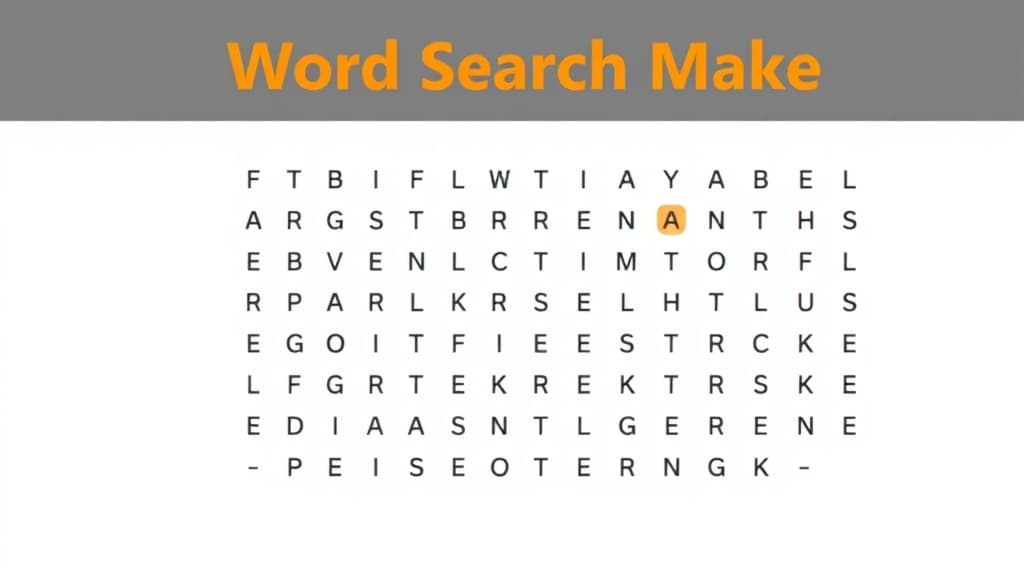
Word Search Maker — AI study tool illustration
🧩
Puzzles & Games Assistant

Word Search Maker

Word Search Maker makes learning genuinely fun through challenges, puzzles, and brain teasers. It creates custom games, generates new riddles, and gives clever hints when you're stuck — building critical thinking while kids are having too much fun to notice.

yearYear 7Year 8Year 9Year 10Year 11Free foreverUK Curriculum
Applaa AI Assistant — Live Preview Live
Help me understand this topic for my school revision.
👨‍💻
I'd love to help! Let's break this down into bite-sized pieces. First, tell me what year group you are in and if you have any homework questions. I will explain it step-by-step with real-world examples, and we can do a quick quiz at the end to make sure it makes perfect sense!

How to use Word Search Maker

1

Open Applaa and find this tool in AI Assistants.

2

Choose a difficulty level or topic, or just say "surprise me."

3

Play, solve, and ask for hints — the AI keeps adapting to stay challenging and fun.

What you can do with Word Search Maker

Words to hidden grid. Here are some of the most popular ways students use Word Search Maker every day:

  • Makes critical thinking fun — kids forget they're learning
  • Endlessly varied — never runs out of new challenges
  • Great for family game nights or solo brain training
  • Ask unlimited follow-up questions — the AI never loses patience or gives up on you
  • Works alongside any textbook, worksheet, or school resource

Word searches might seem simple, but they're a deceptively powerful learning tool that builds vocabulary recognition, focus, and visual scanning skills—abilities that matter across KS3, GCSE, and A-Level subjects. The Word Search Maker generates custom grids filled with key terms from any topic you're revising, forcing you to engage visually and mentally with vocabulary that might otherwise feel abstract. Unlike passive flashcards, word searches demand active searching and pattern recognition, strengthening neural connections to the words. They're also low-pressure and fun, making them ideal as a study break that's still productive. Students who revise using word searches report better vocabulary retention and find exams less intimidating because they've seen key terms repeatedly in context. Applaa's Word Search Maker is perfect for Languages, Biology, History, and any subject heavy on terminology.

20–30%
Better vocabulary retention with word search games vs. passive lists
10–15 min
Optimal time per word search puzzle
100%
Free unlimited word searches on Applaa

How to use the Word Search Maker effectively

Create a word search based on the topic you're currently revising—key terms from a Biology chapter, French vocabulary, or History events. Before starting, review the word list to remind yourself of definitions or context. Then search for words, reading each word aloud as you find it; this multi-sensory approach strengthens memory. After completing the puzzle, spend 2–3 minutes reviewing any words you struggled to find, saying them aloud or writing them down. Use word searches as a warm-up activity (10–15 minutes) before deeper study, or as a productive break between intense revision sessions. Solve one puzzle per revision topic for maximum vocabulary reinforcement.

  • Create a word search for each revision topic you're studying
  • Review the word list before searching; connect words to their definitions or context
  • Read each word aloud as you find it; this activates multiple memory pathways
  • After completing the puzzle, spend 2–3 minutes reviewing words you found difficult
  • Use word searches as a 10–15 minute warm-up before main revision
  • Time yourself and try to beat your previous best; the challenge keeps it engaging

Common word search mistakes

Many students treat word searches as pure puzzles, searching mindlessly without engaging with word meanings. The vocabulary reinforcement only works if you're actively thinking about each word, not just scanning and moving on. Another mistake is solving too quickly without checking if you actually know what each word means. Some students skip the post-puzzle review, missing the chance to solidify vocabulary. Finally, some create word searches with obscure or low-priority vocabulary instead of focusing on key concepts that'll definitely appear in exams.

  • Don't treat it as a pure puzzle; think about word meanings as you search
  • Don't race through without pausing to recall what each word means
  • Don't skip the post-search review; this is where vocabulary locks in
  • Don't create word searches for trivial vocabulary; focus on exam-critical terms
  • Don't do one puzzle and assume you've learned; revisit vocabulary over multiple sessions
  • Don't use word searches as your only study method; combine with other revision approaches

Getting started

Master vocabulary with word searches in 4 steps

Step 1

Download Applaa free and find the Word Search Maker

Step 2

Pick a revision topic and create a word search with 15–20 key terms

Step 3

Review the word list, then search for words while saying them aloud

Step 4

Spend 2–3 minutes after searching reviewing any words you found difficult

1 month free, then 50% off for 3 months — £4.99/mo

While Other Kids Get an AI Head Start, Is Yours Falling Behind?

Give your child the same AI app-building, exam prep and tutoring edge — free for the first month, no credit card needed.

Join 10,000+ students building their first AI-powered apps with Applaa

Frequently asked questions about Word Search Maker

Are word searches helpful for GCSE Language exams?

Yes, especially for vocabulary building. French, Spanish, and German word searches reinforce spelling and recognition. Students who use word searches regularly show better vocabulary scores on language exams.

How many words should I include in one word search?

15–30 words is ideal. Fewer feels too easy and brief; more becomes overwhelming and takes too long. Start with 15–20 words for a 10–15 minute puzzle.

Can I use word searches for revision across all subjects?

Absolutely. Word searches work brilliantly for any subject with key terminology: Biology, Chemistry, History, Geography, Languages, and more. They're less suitable for subjects like Maths that focus on concepts rather than vocabulary.

What if I can't find all the words?

That's fine—words can be tricky to find, and that's part of the challenge. After spending 10–15 minutes, you can reveal the answers. The words you found are already reinforced in your memory.

Get Word Search Maker free

Word Search Maker and 500+ other safe AI assistants are available free inside the Applaa desktop app.

Windows 10+ · macOS 12+ · UK National Curriculum aligned

Why Parents Choose Applaa

  • 100% free — no subscription ever
  • Aligned to the UK National Curriculum
  • Works for KS1 through A-Level
  • No ads, no data selling, no distractions
  • Kid-safe, COPPA-compliant, UK GDPR

Ready for Exam Prep?

Explore GCSE, 11+, A-Level, and Olympiad revision modules in the Applaa Learning Hub.

Go to Learning Hub