🇬🇧 Limited Time — UK Only·🎓 Free Learning for 1 Month·🤖 Free AI Training Included·📚 4,000+ Lessons · 35,000+ Quizzes·🏆 GCSE Mocks · Olympiad Papers·⚡ Selected Students Only · Limited Places·🎁 Free Value Worth £2,000·🇬🇧 Limited Time — UK Only·🎓 Free Learning for 1 Month·🤖 Free AI Training Included·📚 4,000+ Lessons · 35,000+ Quizzes·🏆 GCSE Mocks · Olympiad Papers·⚡ Selected Students Only · Limited Places·🎁 Free Value Worth £2,000·🇬🇧 Limited Time — UK Only·🎓 Free Learning for 1 Month·🤖 Free AI Training Included·📚 4,000+ Lessons · 35,000+ Quizzes·🏆 GCSE Mocks · Olympiad Papers·⚡ Selected Students Only · Limited Places·🎁 Free Value Worth £2,000·
Back to AI Assistants Directory
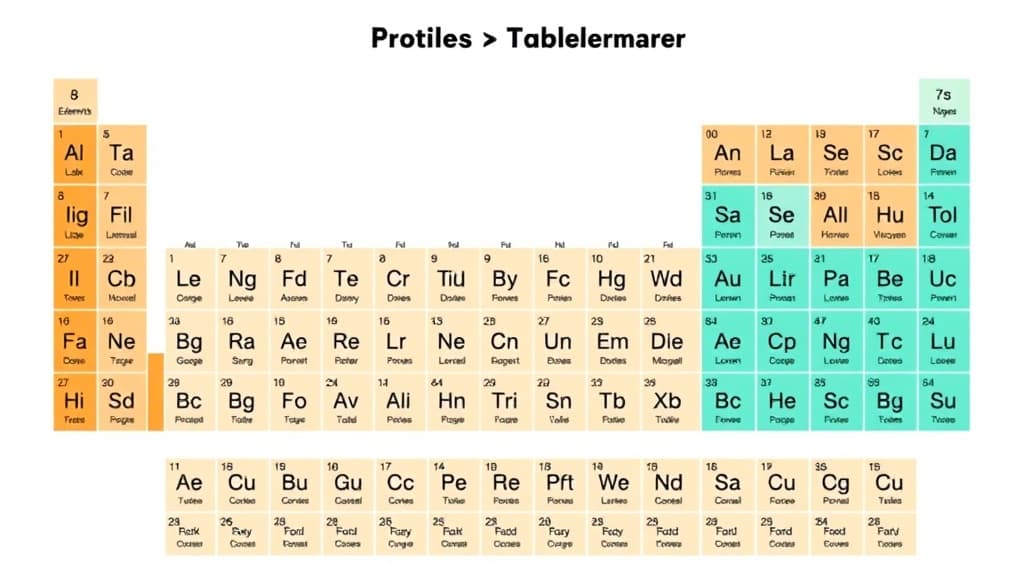
Periodic Table Explorer — AI study tool illustration
⚗️
Chemistry Assistant

Periodic Table Explorer

Periodic Table Explorer is your child's personal chemistry guide inside Applaa. Whether balancing equations, understanding the periodic table, or mastering moles and stoichiometry, it gives clear step-by-step explanations that make chemistry finally make sense.

yearYear 7Year 8Year 9Year 10Year 11Free foreverUK Curriculum
Applaa AI Assistant — Live Preview Live
Explain how photosynthesis works.
👨‍💻
Photosynthesis is how plants make their own food! Think of a leaf as a tiny solar-powered kitchen: 1. **Ingredients:** Water (absorbed by roots) + Carbon Dioxide (absorbed from air) + Sunlight (captured by green chlorophyll in leaves). 2. **Cooking:** Sunlight energy powers a chemical reaction that combines water and carbon dioxide. 3. **Food Served:** Out comes **Glucose** (sugar energy for the plant to grow) and **Oxygen** (which they release into the air for us to breathe!). Equation: Water + Carbon Dioxide + Light ➔ Glucose + Oxygen. Pretty amazing, right?

How to use Periodic Table Explorer

1

Open Applaa and find this tool in AI Assistants.

2

Type your chemistry question, equation, or the concept you're struggling with.

3

Get a clear, accurate explanation with worked examples adapted to your level.

What you can do with Periodic Table Explorer

Properties of all elements. Here are some of the most popular ways students use Periodic Table Explorer every day:

  • Turns abstract chemistry into clear, logical steps
  • Covers GCSE and A-Level chemistry topics thoroughly
  • Helps understand the "why" behind reactions — not just the "how"
  • Ask unlimited follow-up questions — the AI never loses patience or gives up on you
  • Works alongside any textbook, worksheet, or school resource

The Periodic Table Explorer on Applaa transforms the periodic table from an intimidating grid of symbols into an interactive, exploratory learning tool that brings chemistry to life. UK secondary students often struggle to memorise element properties and understand periodic trends, but this tool helps them explore each element's atomic structure, reactivity, and real-world applications through intuitive visualisation. Whether you're revising for GCSE Chemistry or building foundations in Year 8 science, this tool adapts to your level and lets you discover why elements behave the way they do. Applaa's free approach means every student—regardless of background or budget—can access professional-quality chemistry education whenever they need it. The Periodic Table Explorer isn't just a reference; it's a guide that helps you understand the underlying chemistry, making exam revision faster and genuine understanding permanent.

118
Elements to explore interactively
10,000+
Students accessing monthly
100%
Free forever

How to use Periodic Table Explorer effectively

Master the periodic table by starting with a single element and exploring its key properties step-by-step. Use the tool to compare related elements (like the halogens or noble gases) to spot patterns in reactivity and atomic radius. Search by property—find all elements with specific electron configurations, or discover which metals are most reactive with water. Create custom element groups based on what you're studying in class, then revisit them during revision. The visual periodic table helps you understand why elements are arranged the way they are, making the abstract concrete and memorable.

  • Start with elements you recognise (carbon, oxygen, sodium) to build confidence
  • Use the search feature to find elements by atomic number, symbol, or key property
  • Compare adjacent elements to spot trends in electronegativity and atomic radius
  • Explore real-world uses of elements to understand why chemistry matters in daily life
  • Mark your favourite elements or create revision sets for upcoming assessments
  • Check electron configuration for any element to link it to bonding and reactivity

Common mistakes with Periodic Table Explorer

Many students memorise element positions without understanding why the periodic table is organised that way, missing the chemistry entirely. Others focus only on chemical symbols and miss the underlying periodic trends that are crucial to GCSE and A-Level success. The tool prevents both mistakes by encouraging exploration of properties, not just memorisation of names. A common pitfall is treating the periodic table as static when it's actually a map of chemical behaviour—use this tool to see it as a living system where patterns predict reactivity and chemical properties.

  • Don't just memorise; explore the pattern of reactivity down a group or across a period
  • Avoid treating atomic mass and atomic number as the same thing; the tool clarifies the difference
  • Remember that elements in the same group share chemistry; use comparison to see this
  • Don't skip the electron configuration view; it directly explains bonding and reactivity
  • Use the tool to understand exception elements like transition metals, not just for main group
  • Link periodic trends to bonding type (ionic vs covalent) for deeper understanding

Getting started

Getting started with Periodic Table Explorer

Step 1

Download the free Applaa app on your computer and log in—no subscription, no hidden costs

Step 2

Open AI Assistants and find Periodic Table Explorer to start exploring elements

Step 3

Choose an element from your current chemistry topic (e.g. sodium for reactivity, carbon for bonding) and compare it to related elements

Step 4

Create a revision set of elements you find tricky, then revisit them each week before your exam

1 month free, then 50% off for 3 months — £4.99/mo

While Other Kids Get an AI Head Start, Is Yours Falling Behind?

Give your child the same AI app-building, exam prep and tutoring edge — free for the first month, no credit card needed.

Join 10,000+ students building their first AI-powered apps with Applaa

Frequently asked questions about Periodic Table Explorer

Is Periodic Table Explorer only for GCSE students?

No. The tool adapts to all levels from Key Stage 3 through A-Level Chemistry and beyond. KS3 students explore basic properties and trends, while A-Level students investigate bonding types, ionisation energies, and electron configuration in depth. Parents often find it useful for understanding what their child is learning too.

Will this help me remember all 118 elements?

The tool isn't designed for rote memorisation—it's better than that. Instead, it helps you understand the patterns so elements make sense chemically. GCSE requires you to know key elements well and understand trends, not memorise all 118. This tool teaches you to predict properties from position, which is far more useful.

How does this compare to a printed periodic table?

A printed table is static; Periodic Table Explorer is interactive and shows you why elements are arranged the way they are. You can explore electron configurations, compare reactivity, and see real-world applications instantly. It's like having a chemistry teacher explaining the table rather than just looking at a poster.

Can I use this during my exam?

No, but using it regularly during revision is far more valuable. By exam day, you'll understand periodic trends deeply and won't need to look them up. Most GCSE papers include a periodic table, so the Explorer helps you prepare to use that table confidently under pressure.

Get Periodic Table Explorer free

Periodic Table Explorer and 500+ other safe AI assistants are available free inside the Applaa desktop app.

Windows 10+ · macOS 12+ · UK National Curriculum aligned

Why Parents Choose Applaa

  • 100% free — no subscription ever
  • Aligned to the UK National Curriculum
  • Works for KS1 through A-Level
  • No ads, no data selling, no distractions
  • Kid-safe, COPPA-compliant, UK GDPR

Ready for Exam Prep?

Explore GCSE, 11+, A-Level, and Olympiad revision modules in the Applaa Learning Hub.

Go to Learning Hub