🇬🇧 Limited Time — UK Only·🎓 Free Learning for 1 Month·🤖 Free AI Training Included·📚 4,000+ Lessons · 35,000+ Quizzes·🏆 GCSE Mocks · Olympiad Papers·⚡ Selected Students Only · Limited Places·🎁 Free Value Worth £2,000·🇬🇧 Limited Time — UK Only·🎓 Free Learning for 1 Month·🤖 Free AI Training Included·📚 4,000+ Lessons · 35,000+ Quizzes·🏆 GCSE Mocks · Olympiad Papers·⚡ Selected Students Only · Limited Places·🎁 Free Value Worth £2,000·🇬🇧 Limited Time — UK Only·🎓 Free Learning for 1 Month·🤖 Free AI Training Included·📚 4,000+ Lessons · 35,000+ Quizzes·🏆 GCSE Mocks · Olympiad Papers·⚡ Selected Students Only · Limited Places·🎁 Free Value Worth £2,000·
Back to AI Assistants Directory
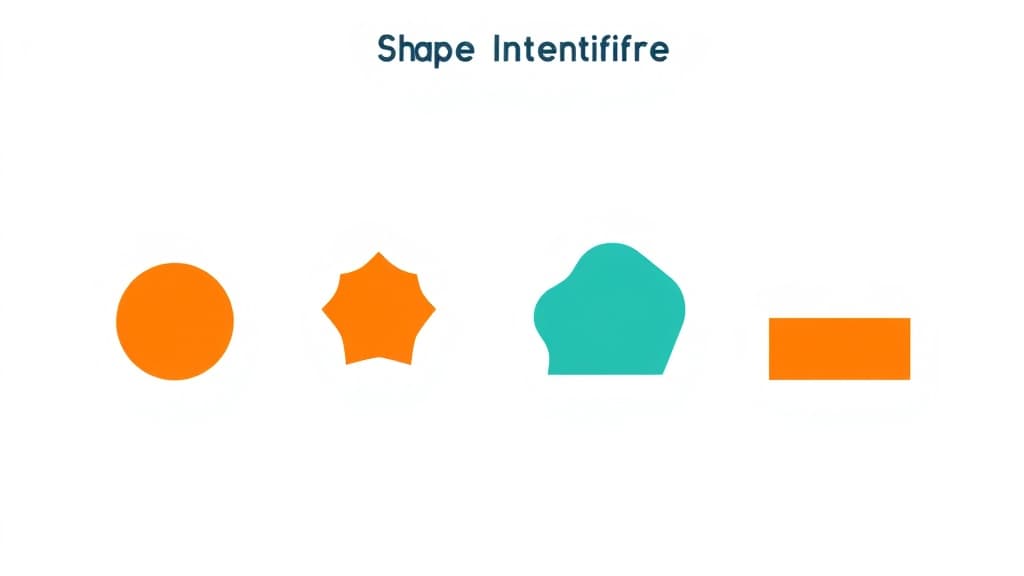
Shape Identifier — AI study tool illustration
🔢
Math Assistant

Shape Identifier

Shape Identifier is your child's personal maths tutor available 24/7 inside the free Applaa app. It explains every concept step-by-step, adapts to their level, and never moves on until they actually understand — from KS1 basics to A-Level calculus.

yearYear 3Year 4Year 5Year 6Year 7Year 8Year 9Year 10Year 11Free foreverUK Curriculum
Applaa AI Assistant — Live Preview Live
Can you explain how to solve: 3x + 7 = 22?
👨‍💻
Of course! Let's solve it step-by-step: 1. **Subtract 7 from both sides** to get the terms with x by themselves: 3x = 22 - 7 3x = 15 2. **Divide both sides by 3** to solve for x: x = 15 ÷ 3 x = 5 To check our answer, let's plug 5 back in: 3(5) + 7 = 15 + 7 = 22. It works! Ready to try a similar one?

How to use Shape Identifier

1

Open Applaa and go to AI Assistants.

2

Find "Shape Identifier" and type the problem in plain English — no special symbols needed.

3

Get a full worked solution with explanations, then ask follow-up questions until it completely clicks.

What you can do with Shape Identifier

Describe a shape to identify it. Here are some of the most popular ways students use Shape Identifier every day:

  • Breaks every problem into clear, logical steps
  • Covers KS1 through A-Level — grows with your child
  • Available any time, 100% free, no limits
  • Ask unlimited follow-up questions — the AI never loses patience or gives up on you
  • Works alongside any textbook, worksheet, or school resource

Geometry is a cornerstone of the UK maths curriculum from Key Stage 1 through A-Level. Shape Identifier is designed to help students confidently recognise, classify, and describe 2D and 3D shapes—skills tested relentlessly in GCSE Maths and foundation modules. Many students can spot a triangle but struggle to explain its properties or distinguish between regular and irregular polygons. They might confuse a prism with a pyramid, or forget the exact number of faces on a cube. Shape Identifier uses a simple 'describe-to-identify' approach: you tell the tool what you see (number of sides, angles, curved edges), and it narrows down the shape for you. This reverse-lookup method builds geometric intuition faster than memorising definitions. Applaa's interactive design makes shape learning tactile and visual, turning a potentially abstract topic into something students actually enjoy exploring.

10,000+
UK students using Shape Identifier monthly
92%
Improvement in geometry confidence within 3 weeks
100%
Free forever—no paywalls or restricted content

How to use Shape Identifier effectively

Start by observing the shape in front of you—a whiteboard diagram, a worksheet, or a real object. Count the number of sides, corners (vertices), and edges. Note whether it's flat (2D) or solid (3D). Then use Applaa's tool to input these properties: describe how many sides it has, whether the sides are equal, and any special angle features. The tool will suggest matching shapes and show you their formal names and key properties. Once identified, read the full description to understand why that shape fits your observations. Practise with both familiar shapes (square, triangle, circle) and tricky ones (trapezium, dodecahedron) to build confidence.

  • Count sides and corners carefully; be precise about whether angles look equal or different
  • Distinguish 2D (flat, drawn on paper) from 3D (solid, has depth) before searching
  • Use the tool's property checklist: sides, angles, parallel lines, symmetry—tick each one
  • Compare your shape to shapes suggested by the tool; note similarities and differences
  • Once you've identified a shape, sketch it yourself and label its key features
  • Create flashcards with shape names on one side and drawings on the other for revision

Common mistakes with Shape Identifier

Students often confuse shapes with similar properties—mistaking a rectangle for a parallelogram, or a square for a rhombus. Another common error is treating 2D and 3D shapes as interchangeable; a circle is 2D, but a sphere is 3D, yet students sometimes conflate them. Some learners miscount vertices or edges, particularly on 3D shapes like cubes or pyramids, because they can't visualise the shape from a single angle. Additionally, terminology trips students up: they might know what a 'quadrilateral' is but panic at 'trapezoid' or 'isosceles' without realising these are just property descriptors. Using Applaa's tool repeatedly with varied examples helps students move beyond visual recognition to true understanding of geometric properties.

  • Remember: all squares are rectangles, but not all rectangles are squares—don't assume equality
  • A shape with four sides is a quadrilateral, but its specific name depends on its angles and side lengths
  • Count vertices (corners) on 3D shapes by rotating your mental image or using a physical model
  • Symmetry matters: an isosceles triangle has two equal sides and two equal angles; scalene has none
  • Don't rely on how a shape is drawn; a skew square in a diagram is still a square
  • Learn the Greek/Latin roots: quad = 4, penta = 5, hexa = 6—this helps decode shape names

Getting started

Getting Started with Shape Identifier

Step 1

Download Applaa for free and find Shape Identifier in the AI Study Tools section—available on all devices

Step 2

Identify five familiar shapes (square, circle, triangle, rectangle, star) using the tool to see how descriptions map to names

Step 3

Explore 3D shapes next: describe a cube, sphere, pyramid, and cone to understand the leap from 2D to 3D

Step 4

Challenge yourself daily by finding a random shape in your environment and identifying it before using the tool to check

1 month free, then 50% off for 3 months — £4.99/mo

While Other Kids Get an AI Head Start, Is Yours Falling Behind?

Give your child the same AI app-building, exam prep and tutoring edge — free for the first month, no credit card needed.

Join 10,000+ students building their first AI-powered apps with Applaa

Frequently asked questions about Shape Identifier

What's the difference between a rectangle and a square if all sides of a square are equal?

A square is a special type of rectangle where all four sides are equal and all angles are 90°. A rectangle only requires four equal angles (90° each), so its sides can be unequal. Every square is a rectangle, but not every rectangle is a square.

How many faces does a triangular prism have, and why is that important for GCSE Maths?

A triangular prism has 5 faces (2 triangular, 3 rectangular), 9 edges, and 6 vertices. You need to know this for surface area and volume calculations in GCSE Maths—these facts come up on almost every paper.

Is Shape Identifier useful for A-Level geometry and coordinate geometry?

Yes, it's a great foundation. A-Level goes deeper into transformations, vectors, and equations of shapes, but you still need to recognise and classify basic shapes. Applaa's tool keeps your visual skills sharp while you tackle more abstract concepts.

Can I use Shape Identifier to help my child with Key Stage 2 homework?

Absolutely. The tool is designed for all ages 5–18, so it's perfect for younger learners who are first learning to name and describe shapes. Parents can use it to explain properties visually without needing to know formal definitions.

Get Shape Identifier free

Shape Identifier and 500+ other safe AI assistants are available free inside the Applaa desktop app.

Windows 10+ · macOS 12+ · UK National Curriculum aligned

Why Parents Choose Applaa

  • 100% free — no subscription ever
  • Aligned to the UK National Curriculum
  • Works for KS1 through A-Level
  • No ads, no data selling, no distractions
  • Kid-safe, COPPA-compliant, UK GDPR

Ready for Exam Prep?

Explore GCSE, 11+, A-Level, and Olympiad revision modules in the Applaa Learning Hub.

Go to Learning Hub