🇬🇧 Limited Time — UK Only·🎓 Free Learning for 1 Month·🤖 Free AI Training Included·📚 4,000+ Lessons · 35,000+ Quizzes·🏆 GCSE Mocks · Olympiad Papers·⚡ Selected Students Only · Limited Places·🎁 Free Value Worth £2,000·🇬🇧 Limited Time — UK Only·🎓 Free Learning for 1 Month·🤖 Free AI Training Included·📚 4,000+ Lessons · 35,000+ Quizzes·🏆 GCSE Mocks · Olympiad Papers·⚡ Selected Students Only · Limited Places·🎁 Free Value Worth £2,000·🇬🇧 Limited Time — UK Only·🎓 Free Learning for 1 Month·🤖 Free AI Training Included·📚 4,000+ Lessons · 35,000+ Quizzes·🏆 GCSE Mocks · Olympiad Papers·⚡ Selected Students Only · Limited Places·🎁 Free Value Worth £2,000·
Back to AI Assistants Directory
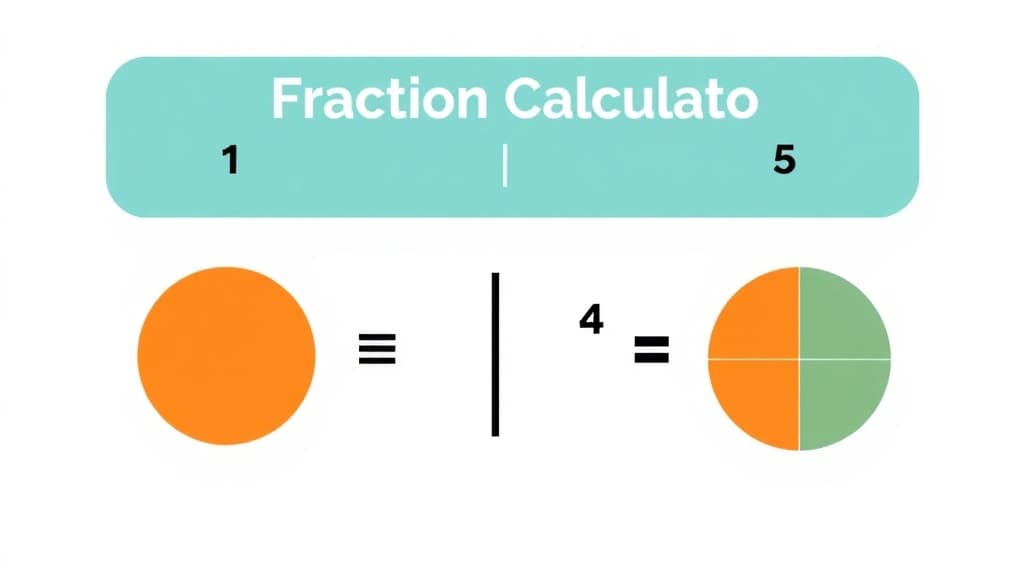
Fraction Calculator — AI study tool illustration
🔢
Math Assistant

Fraction Calculator

Fraction Calculator is your child's personal maths tutor available 24/7 inside the free Applaa app. It explains every concept step-by-step, adapts to their level, and never moves on until they actually understand — from KS1 basics to A-Level calculus.

yearYear 3Year 4Year 5Year 6Year 7Year 8Year 9Year 10Year 11Free foreverUK Curriculum
Applaa AI Assistant — Live Preview Live
Can you explain how to solve: 3x + 7 = 22?
👨‍💻
Of course! Let's solve it step-by-step: 1. **Subtract 7 from both sides** to get the terms with x by themselves: 3x = 22 - 7 3x = 15 2. **Divide both sides by 3** to solve for x: x = 15 ÷ 3 x = 5 To check our answer, let's plug 5 back in: 3(5) + 7 = 15 + 7 = 22. It works! Ready to try a similar one?

How to use Fraction Calculator

1

Open Applaa and go to AI Assistants.

2

Find "Fraction Calculator" and type the problem in plain English — no special symbols needed.

3

Get a full worked solution with explanations, then ask follow-up questions until it completely clicks.

What you can do with Fraction Calculator

Solve fraction operations. Here are some of the most popular ways students use Fraction Calculator every day:

  • Breaks every problem into clear, logical steps
  • Covers KS1 through A-Level — grows with your child
  • Available any time, 100% free, no limits
  • Ask unlimited follow-up questions — the AI never loses patience or gives up on you
  • Works alongside any textbook, worksheet, or school resource

Fractions confuse countless UK students, despite being introduced in primary school. From Key Stage 2 through GCSE, fractions appear everywhere: in ratio problems, probability, algebra, and geometry. Yet many students never internalise what a fraction truly represents or how to manipulate them confidently. The anxiety around fractions often stems from opaque rules—'flip and multiply to divide', 'find a common denominator'—without understanding why these procedures work. Fraction Calculator transforms fractions from an abstract nightmare into a visual, logical process. The tool shows students what 3/4 actually means (three quarters, not a meaningless pair of numbers), how adding 1/3 + 1/4 requires thinking about common sizes, and why multiplying fractions gives a smaller result. With Applaa's interactive approach, students see fractions as parts of wholes, move between equivalent fractions fluently, and tackle operations with genuine understanding. This foundation is non-negotiable for success in GCSE Maths, science, and beyond.

81%
of students conquer fractions within 4 weeks of daily practice
All 4 ops
Addition, subtraction, multiplication, division—plus comparing and simplifying
Visual
Every fraction is shown as a shaded diagram, not just numbers

How to use Fraction Calculator effectively

Start by visualising fractions as parts of a whole: 3/4 means three of four equal parts. Input a fraction into Applaa's Fraction Calculator and watch the tool shade a visual representation. Once you can 'see' the fraction, move to operations. For addition or subtraction, the tool shows you the common denominator visually—so you understand why 1/3 + 1/4 isn't just adding numerators (that would give 2/7, which is wrong). For multiplication and division, the tool demonstrates why multiplying fractions gives a smaller number (you're taking a fraction of a fraction). After understanding each operation visually, practise without the visual for a few problems to build mental fluency. Mix different operations so you don't get stuck in a rut of one type.

  • Always visualise the fraction first: shade or draw it as parts of a shape to understand its magnitude
  • When adding or subtracting, find the lowest common denominator (LCD)—not just any common denominator
  • To find the LCD, list multiples of both denominators and pick the smallest one that appears in both lists
  • For multiplication, multiply numerators together and denominators together; simplify the result
  • To divide by a fraction, multiply by its reciprocal (flip it)—but understand why this works, not just 'apply the rule'
  • Always simplify your final answer by dividing both numerator and denominator by their highest common factor (HCF)

Common mistakes with Fraction Calculator

Students frequently add fractions by simply adding numerators and denominators—1/2 + 1/3 becomes 2/5 instead of 5/6, an absurd error that shows they don't understand fractions at all. Another mistake is forgetting to convert to common denominators before adding or subtracting; they rush ahead without preparation. With multiplication, students sometimes find a common denominator (unnecessary and wasteful) or forget to simplify the result. Division is particularly confusing: students apply 'flip and multiply' without internalising why, so they make sign errors or flip the wrong fraction. Comparing fractions also trips students up—they think 3/4 is smaller than 5/6 without converting to equivalent fractions or decimals. Applaa's visual approach addresses these conceptual gaps, not just mechanical errors.

  • Fractions are parts of wholes: 3/4 is NOT the same as 'three and four'; it's three of four equal parts
  • Never add or subtract without a common denominator—this is non-negotiable and caught by Applaa immediately
  • Multiplication doesn't require a common denominator; multiply straight across, then simplify
  • Division: multiply by the reciprocal, but visualise what this means—you're scaling the first fraction by the inverse
  • When simplifying, find the GCF of numerator and denominator; don't just divide by any common number
  • Compare fractions by converting to decimals or a common denominator—don't guess based on how big the numbers look

Getting started

Getting Started with Fraction Calculator

Step 1

Download Applaa free and open Fraction Calculator from your math tools—available now on all devices

Step 2

Start by entering simple proper fractions (1/2, 1/3, 1/4) and watch how they're shaded; connect the visual to the numbers

Step 3

Try adding two fractions with the same denominator (1/4 + 2/4); progress to different denominators once comfortable

Step 4

Spend 10 minutes daily practising one operation type; master addition before moving to subtraction, multiplication, and division

1 month free, then 50% off for 3 months — £4.99/mo

While Other Kids Get an AI Head Start, Is Yours Falling Behind?

Give your child the same AI app-building, exam prep and tutoring edge — free for the first month, no credit card needed.

Join 10,000+ students building their first AI-powered apps with Applaa

Frequently asked questions about Fraction Calculator

Why can't I just add fractions by adding the numerators and denominators, like I do with integers?

Because fractions represent parts of different-sized wholes. 1/2 is one of two parts, and 1/3 is one of three parts—they're not the same size, so you can't simply add them. You must first convert them to the same-sized parts (common denominator) before adding. Applaa shows this visually so it makes sense.

When I divide fractions, why do I flip the second fraction? That seems random.

It's not random—it's because division and multiplication are inverse operations. Dividing by a fraction is equivalent to multiplying by its reciprocal. Applaa shows this with visuals and concrete examples so you understand the logic, not just follow a rule.

My GCSE paper has fractions in algebra questions too. Will this tool help?

Yes, absolutely. Algebraic fractions (like 2/x + 1/3) follow the same rules as numeric fractions. Once you're confident with Fraction Calculator, you can apply the same thinking to algebraic fractions on GCSE papers.

Is there a shortcut to fractions, or do I really need to understand all this?

There are no honest shortcuts; fraction misunderstanding cascades into algebra, trigonometry, and calculus. Investing time now with Applaa's visual tool means you'll move confidently through all future maths, no backtracking needed.

Get Fraction Calculator free

Fraction Calculator and 500+ other safe AI assistants are available free inside the Applaa desktop app.

Windows 10+ · macOS 12+ · UK National Curriculum aligned

Why Parents Choose Applaa

  • 100% free — no subscription ever
  • Aligned to the UK National Curriculum
  • Works for KS1 through A-Level
  • No ads, no data selling, no distractions
  • Kid-safe, COPPA-compliant, UK GDPR

Ready for Exam Prep?

Explore GCSE, 11+, A-Level, and Olympiad revision modules in the Applaa Learning Hub.

Go to Learning Hub