๐Ÿ‡ฌ๐Ÿ‡ง Limited Time โ€” UK Onlyยท๐ŸŽ“ Free Learning for 1 Monthยท๐Ÿค– Free AI Training Includedยท๐Ÿ“š 4,000+ Lessons ยท 35,000+ Quizzesยท๐Ÿ† GCSE Mocks ยท Olympiad Papersยทโšก Selected Students Only ยท Limited Placesยท๐ŸŽ Free Value Worth ยฃ2,000ยท๐Ÿ‡ฌ๐Ÿ‡ง Limited Time โ€” UK Onlyยท๐ŸŽ“ Free Learning for 1 Monthยท๐Ÿค– Free AI Training Includedยท๐Ÿ“š 4,000+ Lessons ยท 35,000+ Quizzesยท๐Ÿ† GCSE Mocks ยท Olympiad Papersยทโšก Selected Students Only ยท Limited Placesยท๐ŸŽ Free Value Worth ยฃ2,000ยท๐Ÿ‡ฌ๐Ÿ‡ง Limited Time โ€” UK Onlyยท๐ŸŽ“ Free Learning for 1 Monthยท๐Ÿค– Free AI Training Includedยท๐Ÿ“š 4,000+ Lessons ยท 35,000+ Quizzesยท๐Ÿ† GCSE Mocks ยท Olympiad Papersยทโšก Selected Students Only ยท Limited Placesยท๐ŸŽ Free Value Worth ยฃ2,000ยท
Back to AI Assistants Directory
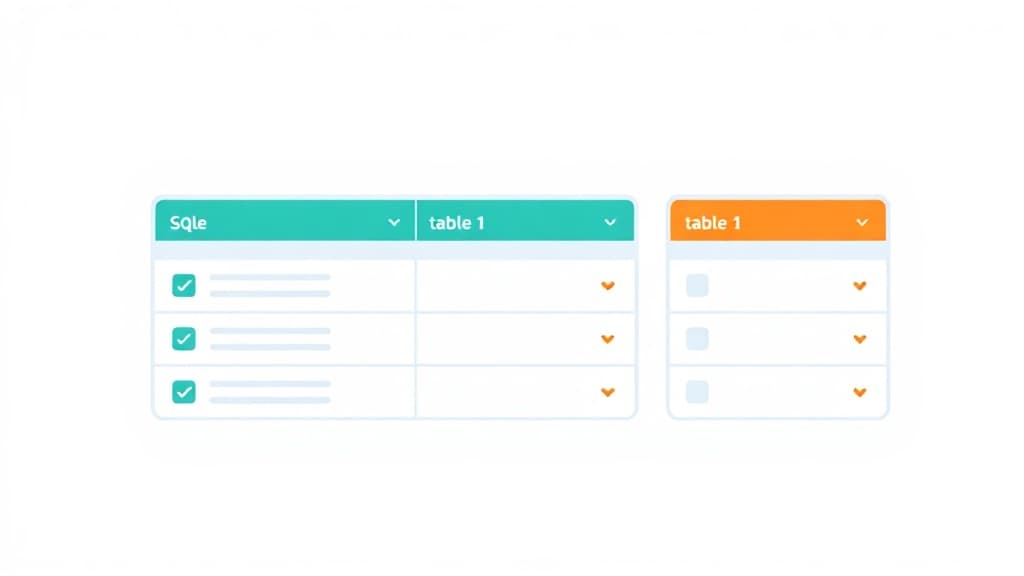
Database Basics โ€” AI study tool illustration
๐Ÿ’ป
Coding & Tech Assistant

Database Basics

Database Basics is your child's personal coding mentor inside Applaa. Whether they're writing their first "Hello World" or debugging a complex project, it gives clear, patient explanations and helps them become a confident, independent coder โ€” step by step.

yearYear 5Year 6Year 7Year 8Year 9Year 10Year 11Free foreverUK Curriculum
Applaa AI Assistant โ€” Live Preview Live
Why is my Python loop printing forever? ```python x = 1 while x < 5: print(x) ```
๐Ÿ‘จโ€๐Ÿ’ป
Ah, classic infinite loop! Look closely at your condition: `while x < 5`. Since `x` starts at `1`, it is smaller than `5`. Inside the loop, you print `x`, but **you never increase the value of `x`**, so it stays `1` forever and never stops! Here is the fix. Add `x += 1` at the bottom of your loop: ```python x = 1 while x < 5: print(x) x += 1 # This increases x by 1 each time! ``` Give it a try in Applaa's built-in playground!

How to use Database Basics

1

Open Applaa and select this tool from AI Assistants.

2

Paste your code, describe your error, or ask your coding question.

3

Get a clear explanation and fix โ€” then try it yourself to truly understand.

What you can do with Database Basics

Learn SQL and tables. Here are some of the most popular ways students use Database Basics every day:

  • Makes coding concepts genuinely clear for beginners
  • Debugs errors patiently, step by step
  • Builds real skills valuable for school, uni, and careers
  • Ask unlimited follow-up questions โ€” the AI never loses patience or gives up on you
  • Works alongside any textbook, worksheet, or school resource

Every app you use โ€” banking apps, social media, gaming platforms, school portals โ€” stores data in databases. A database is essentially an organised collection of information structured in tables with rows and columns, similar to a spreadsheet but far more powerful. Applaa's Database Basics tool teaches you the fundamentals of how databases work, what SQL is, and how to think about organising data logically. This is essential knowledge for GCSE and A-Level Computer Science, and genuinely useful for anyone interested in coding, data, or how the internet actually works behind the scenes. Rather than abstract definitions, the Database Basics tool shows you real examples of databases in action โ€” how tables relate to each other, how queries find specific information, and how data is updated.

1
Database should have per row (primary key)
4 billion+
pieces of data stored in databases worldwide
100%
free and no coding experience needed

How to use Database Basics effectively

The Database Basics tool walks you through the core concepts of databases using real, easy-to-visualise examples. You'll explore a sample database (like a school database with Students, Teachers, Subjects tables) and see how data is organised into rows and columns. The tool shows you how SQL queries work by letting you experiment: run a simple query to find all students in Year 10, then modify it to find only students studying Maths. You'll understand primary keys (unique identifiers for each row), foreign keys (connections between tables), and how these relationships let you combine data from multiple tables to answer complex questions.

  • Start by exploring the structure of a sample database: understand the difference between tables, rows (records), and columns (fields)
  • Learn the basics of SQL SELECT queries: how to get all data from a table, how to filter with WHERE, and how to order results
  • Understand primary keys: every table should have one unique identifier per row (like StudentID or Email) that never repeats
  • Explore relationships between tables using foreign keys: see how one table's foreign key points to another table's primary key
  • Practise writing increasingly complex queries: start with simple SELECT, then add WHERE filters, then JOIN tables together
  • Think about real-world design: how would you structure a database for a cinema booking system, an online shop, or a social network?

Common database design mistakes

Most beginner database mistakes come from not thinking carefully about how data should be organised. Storing the same information in multiple places (like student email addresses duplicated across several tables) causes problems: if one email is wrong, fixing it means finding and correcting multiple locations. Another mistake is not using appropriate data types โ€” storing phone numbers as text instead of numbers, or dates in an unclear format. Students also often forget to create proper relationships between tables, leading to databases that can't answer complex questions or that store redundant data. Understanding these principles helps you design databases that are logical, efficient, and correct.

  • Avoid storing duplicate data โ€” if a fact belongs in one table, don't repeat it in another table. Use relationships (foreign keys) instead
  • Don't forget primary keys โ€” every table needs a unique identifier so you can reliably refer to specific rows
  • Be careful with data types: store numbers as numbers (not text), dates in a proper date format, and emails as text
  • Don't create tables without thinking about relationships โ€” how do tables connect? Use foreign keys to establish these connections
  • Avoid huge tables with too many columns โ€” if you're storing unrelated information together, consider splitting into separate tables
  • Don't forget about NULL values โ€” sometimes data is missing (a student might not have a phone number). Decide in advance how to handle missing data

Getting started

Your 4-step database learning plan

Step 1

Step 1: Download Applaa free and open Database Basics from Coding & Tech โ€” explore the sample database structure visually

Step 2

Step 2: Run 5 different SQL SELECT queries provided by the tool to find specific information โ€” understand how WHERE filters work

Step 3

Step 3: Design your own simple database: pick a topic (a library, a classroom, a sports club) and sketch out what tables and columns you'd need

Step 4

Step 4: Write SQL to query your designed database โ€” if you can't write a query to answer a specific question, revisit your design

Watch: What is a Database?

What is a Database?

1 month free, then 50% off for 3 months โ€” ยฃ4.99/mo

While Other Kids Get an AI Head Start, Is Yours Falling Behind?

Give your child the same AI app-building, exam prep and tutoring edge โ€” free for the first month, no credit card needed.

Join 10,000+ students building their first AI-powered apps with Applaa

Frequently asked questions about Database Basics

Do I need to learn SQL to understand databases?

SQL is the language used to query databases, so understanding it is important. Database Basics teaches SQL in a visual, practical way โ€” you're not memorising syntax, you're seeing how queries work on real data. This builds understanding much faster than learning abstract SQL rules.

Is database design on GCSE Computer Science?

Yes โ€” GCSE covers databases, data types, keys, and basic queries. A-Level goes deeper into normalisation and complex queries. Database Basics gives you a foundation that makes all these exam topics make genuine sense rather than feeling like arbitrary rules.

What's the difference between a database and a spreadsheet?

Spreadsheets are great for small datasets you manipulate manually. Databases are designed for large, complex datasets accessed by many users simultaneously. Databases enforce relationships and data quality in ways spreadsheets can't. Most real-world applications use databases, not spreadsheets.

How does this relate to apps I use?

Every app that stores user data uses databases. When you log into an app and it remembers your preferences, your profile, or your history, that's a database storing and retrieving your information. Understanding databases helps you understand how the apps you use actually work behind the scenes.

Get Database Basics free

Database Basics and 500+ other safe AI assistants are available free inside the Applaa desktop app.

Windows 10+ ยท macOS 12+ ยท UK National Curriculum aligned

Why Parents Choose Applaa

  • 100% free โ€” no subscription ever
  • Aligned to the UK National Curriculum
  • Works for KS1 through A-Level
  • No ads, no data selling, no distractions
  • Kid-safe, COPPA-compliant, UK GDPR

Ready for Exam Prep?

Explore GCSE, 11+, A-Level, and Olympiad revision modules in the Applaa Learning Hub.

Go to Learning Hub